
Editorial quick answer
Powerwall vs EcoFlow DELTA Pro: Real Price Difference
When I was deciding on battery backup for my solar system , I spent an embarrassing amount of time comparing the Tesla Powerwall and the EcoFlow DELTA Pro . They’re both legitimate products....
Who this is for
Homeowners using this topic to compare choices, identify tradeoffs, or prepare better questions.
What this cannot promise
A guaranteed bill reduction, output, runtime, incentive, code approval, interconnection result, or project-specific electrical design.
Assumptions, date, and local checks
Costs and performance depend on location, date, model, configuration, weather, tariffs, utility rules, program funding, installation details, and household loads. Incentive, net-metering, code, battery-sizing, and electrical statements require current jurisdiction and source checks. Confirm project-specific details with the serving utility, program administrator, manufacturer, and a qualified electrician or installer.
How evidence is labeled
Mike context
Limited to his 20 years as an electrician, going solar in 2019, and having no installer ties.
Manufacturer specification
Maker-published data for an identified model or version, not an independent measurement.
Public source
Utility, government, program, code, standards, or other dated public information.
Estimate
Math based on stated inputs and assumptions, not a quote or guarantee.
Editorial analysis
SunBacked’s synthesis of tradeoffs, separated from sourced facts.
When I was deciding on battery backup for my solar system, I spent an embarrassing amount of time comparing the Tesla Powerwall and the EcoFlow DELTA Pro. They’re both legitimate products. They’re marketed very differently. And the right choice depends on what you’re actually trying to accomplish — which, in my experience, most buyers haven’t fully worked out before they start comparing specs.
I ultimately bought an EcoFlow DELTA Pro. I’m going to tell you exactly why, and be honest about when the Powerwall is the better answer.
First: They’re Solving Slightly Different Problems
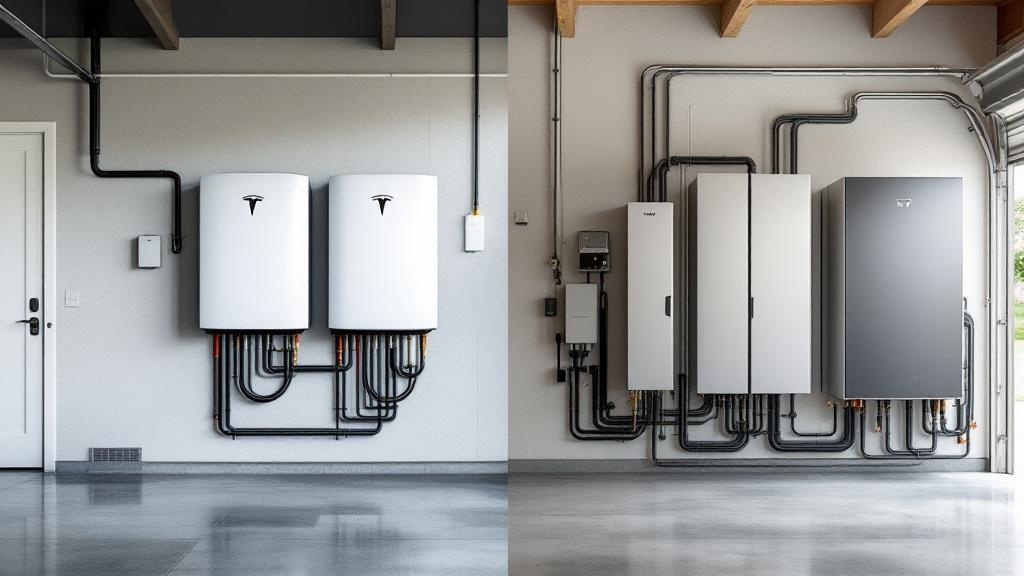
The Powerwall is a permanently installed, whole-home backup system. It mounts on your wall (garage, utility room, outside), integrates with your solar and your electrical panel, and automatically takes over when the grid goes down. It’s designed to be invisible until you need it.
The EcoFlow DELTA Pro is a portable power station — a large battery with outlets, USB ports, and a 30-amp plug. It can be expanded, connected to solar panels, and with the right transfer switch, it can power select circuits in your home. But it lives in your garage or laundry room. It’s not a whole-home system by default.
If you want seamless, automatic, whole-home backup, the comparison isn’t even close: the Powerwall wins, because that’s what it’s designed for. But “whole-home backup” for a solar homeowner costs a lot more than most people realize.
The Price Reality
Here’s what I was actually quoted:
Tesla Powerwall 3:
- Single unit: 13.5 kWh usable capacity, 11.5 kW continuous output (Powerwall 3)
- Hardware: $11,500-$12,500 depending on installer
- Installation: $2,500-$4,500 (requires full electrical integration with your panel)
- Total installed: $14,000-$17,000 for one unit
- For true whole-home backup in an average homeownerhouse, most installers recommend 2 units: $28,000-$34,000 total
EcoFlow DELTA Pro:
- Single unit: 3.6 kWh capacity, expandable to 25 kWh with extra batteries
- Hardware (single unit + one extra battery for 7.2 kWh total): approximately $3,800-$4,200
- Optional smart transfer switch (EcoFlow Smart Home Panel 2): ~$1,800 installed
- Total for a partial-home backup setup: $5,600-$6,000
That’s a $22,000-$28,000 price difference for similar storage capacity — though the Powerwall’s installation and integration are more seamless.
What the Powerwall Gets You That the DELTA Pro Doesn’t
I want to be fair here. The Powerwall offers things worth paying for:
Automatic transfer: When the grid goes down, the Powerwall switches over in milliseconds. Your refrigerator, HVAC, lights — nothing blinks. With the DELTA Pro, even with the Smart Home Panel, the switchover is a few seconds, and someone has to have set it up correctly in advance.
Solar integration: The Powerwall 3 has a built-in solar inverter. It integrates cleanly with grid-tied solar, manages charging and discharging automatically based on your rate schedule, and handles the whole energy flow. The DELTA Pro can charge from solar panels (via its own inputs), but integrating it with a grid-tied solar system requires more workarounds.
Capacity: A two-Powerwall setup gives you 27 kWh of storage — enough to run a typical home for 24-48 hours. A single DELTA Pro with one expansion battery gives you 7.2 kWh. That’s one night of essential loads, not whole-home continuity.
Weather resistance: Powerwalls are rated for outdoor installation. DELTA Pros live inside.
What I Actually Needed (and Why DELTA Pro Was Right for Me)
I did an honest assessment of my backup needs. I live in homeownernot a hurricane zone. My longest grid outage in 10 years of living here was 14 hours during an ice storm. I don’t have medical equipment that requires uninterrupted power. My “must-have” circuits during an outage: refrigerator, a few lights, phone/laptop charging, and the router.
Those loads total roughly 400-600 watts continuous. My DELTA Pro (3.6 kWh base) can run that for 6-9 hours. With the expansion battery (7.2 kWh), that’s 12-18 hours — more than my historical longest outage.
For my actual use case, the DELTA Pro is dramatically over-specified in terms of cost. I paid $3,500 total (unit + one extra battery, during a sale — read my full EcoFlow DELTA Pro review for more detail on pricing). For an extra $1,200, I could add the Smart Home Panel and have it auto-switch essential circuits. I haven’t done that yet — I’ve been fine manually plugging in the critical stuff during outages, which has happened once in 14 months.
When the Powerwall Is Worth It
If you’re in Florida, coastal Texas, or anywhere with hurricane season and multi-day outages, the Powerwall math changes. You need more capacity, you need automatic transfer, and you may need to run an HVAC system for safety (heat/AC, not just comfort). That’s whole-home territory, and the Powerwall is designed for that.
If you have medical equipment, small children, or elderly family members who need reliable power, the automatic seamless transfer of the Powerwall is worth real money.
If you’re building new construction or doing a major renovation, the Powerwall integrates more cleanly into a new electrical system than retrofitting the DELTA Pro.
If you want the system to optimize your TOU rates automatically (charge from solar midday, discharge during peak pricing evening hours), the Powerwall does this out of the box. The DELTA Pro requires more manual management.
My Actual Recommendation
Buy what you actually need. (If you’re still in the early stages of deciding whether to go battery or generator, my battery backup vs. generator comparison covers exactly that decision.) Most homeownerhomeowners with my outage history don’t need a $28,000 Powerwall setup. A portable home backup battery station in the $3,500-5,000 range covers 80% of real-world outage scenarios for the average suburban homeowner. If you’re in a high-outage area, need seamless automation, or want true whole-home coverage, budget for the Powerwall and do it right.
The mistake is buying the DELTA Pro when you need a Powerwall, or buying two Powerwalls when a DELTA Pro would cover your actual needs. Figure out your real requirements first: How long do you need to last? What circuits must stay on? How much automation do you want? The answers to those questions drive the decision — not the marketing materials for either product.
Sources, uncertainty, safety, and affiliate disclosure
Check named sources for their publication date, geography, exact product, utility, and jurisdiction. Product specifications and programs change. Estimates are not guarantees. Electrical work, service upgrades, storage systems, transfer equipment, interconnection, and code compliance should be reviewed by the serving utility and a qualified electrician or installer as appropriate.
Some links may be affiliate links. SunBacked may earn a commission at no added cost to you; that does not determine editorial conclusions.