
Editorial quick answer
Can I leave my portable power station plugged in all the time?
I’d leave a portable power station plugged in for everyday backup only if its manufacturer explicitly supports that use. Keeping it ready for outages can be worth some battery aging, but leaving a camping battery at full charge year-round usually buys you little. Your decision should start with what needs to stay running and how […]
Who this is for
Homeowners using this topic to compare choices, identify tradeoffs, or prepare better questions.
What this cannot promise
A guaranteed bill reduction, output, runtime, incentive, code approval, interconnection result, or project-specific electrical design.
Assumptions, date, and local checks
Costs and performance depend on location, date, model, configuration, weather, tariffs, utility rules, program funding, installation details, and household loads. Incentive, net-metering, code, battery-sizing, and electrical statements require current jurisdiction and source checks. Confirm project-specific details with the serving utility, program administrator, manufacturer, and a qualified electrician or installer.
How evidence is labeled
Mike context
Limited to his 20 years as an electrician, going solar in 2019, and having no installer ties.
Manufacturer specification
Maker-published data for an identified model or version, not an independent measurement.
Public source
Utility, government, program, code, standards, or other dated public information.
Estimate
Math based on stated inputs and assumptions, not a quote or guarantee.
Editorial analysis
SunBacked’s synthesis of tradeoffs, separated from sourced facts.
I’d leave a portable power station plugged in for everyday backup only if its manufacturer explicitly supports that use. Keeping it ready for outages can be worth some battery aging, but leaving a camping battery at full charge year-round usually buys you little.
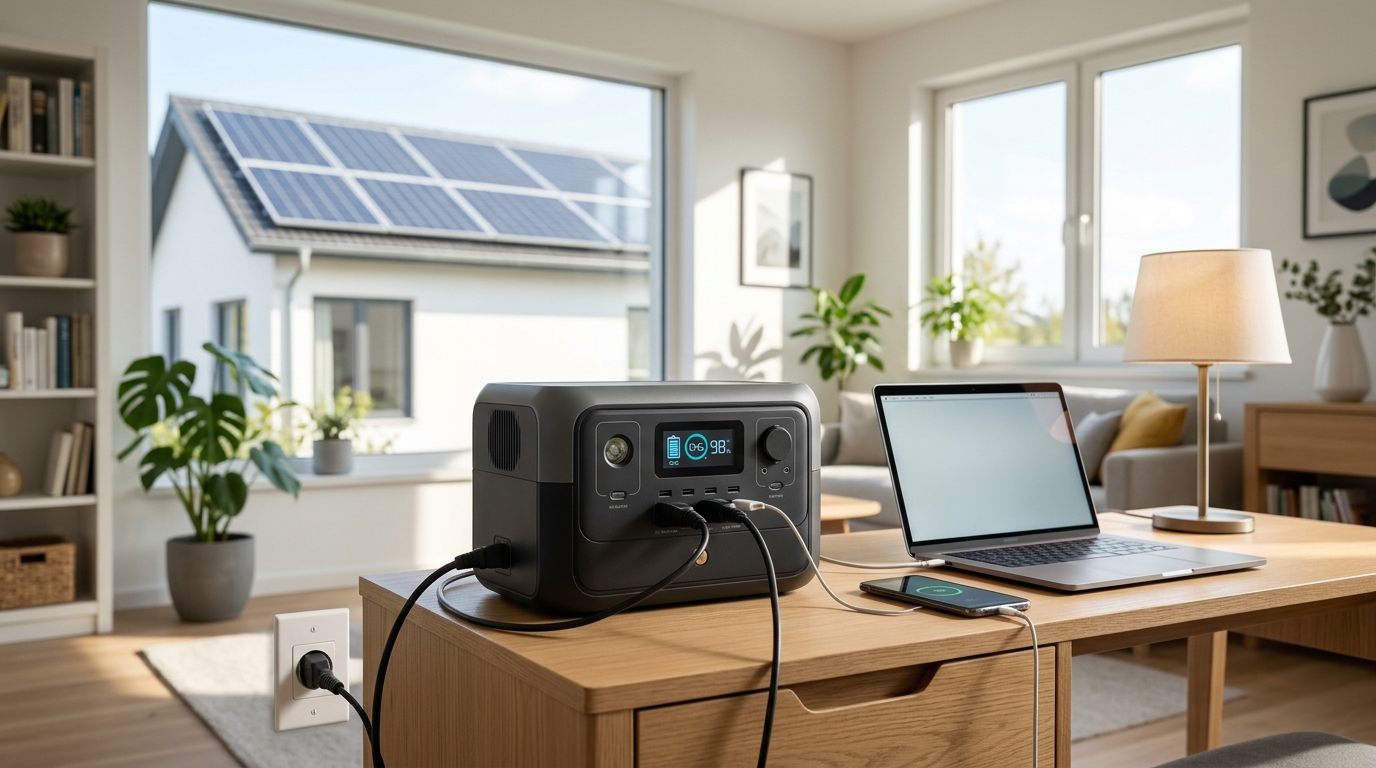
Your decision should start with what needs to stay running and how long your outages last. For an apartment router, laptop, and a few lights, automatic backup can make sense; for a unit you use twice a summer, following its storage instructions is the better choice.
The Short Answer
Yes, some portable power stations can stay plugged in all the time, but this is a model-specific feature, not a universal rule. Check your exact manual for continuous AC connection, pass-through operation, and emergency power supply settings. Being able to charge while powering a device does not automatically mean the manufacturer recommends permanent connection.
The distinction matters even within one brand. Jackery’s general support guidance recommends unplugging after reaching full charge, while its Explorer 1500 Ultra product page explicitly supports long-term plug-in use. Follow the instructions for your model; if those conflict with general advice, ask support to clarify.
Overcharging and battery aging are different
A properly functioning battery management system controls charging so the cells are not continuously overcharged. But that protection does not stop ordinary aging. Time spent fully charged, temperature, and charge cycles all affect battery life. Lithium iron phosphate, often labeled LFP or LiFePO4, does not make those considerations disappear.
For compatible units with an adjustable charge ceiling, a setting such as 80% can be a reasonable everyday compromise when that reserve covers your needs. It is not a universal manufacturer requirement. Charge fully before a forecast outage when runtime matters more, and follow any model-specific instructions for periodic full charging or calibration.
What This Means for a Homeowner
“Plugged in” can describe several different arrangements. Before choosing one, separate the job you want from the features printed on the box:
- Charged and waiting: The station stays connected to the wall, but your appliances are elsewhere. Unless you have a supported automatic connection, you must plug those appliances into it during an outage.
- Pass-through operation: The station accepts charging power while supplying connected devices. The term alone does not explain whether the battery is cycling or whether output survives an outage.
- Bypass with automatic backup: Utility power normally supplies connected loads through the station, then the battery takes over when utility power fails. Check the permitted load and switching behavior.
- Long-term storage: The station is not serving an active backup job. Use the manual’s storage charge level, shutdown procedure, and recharge interval.
Those differences determine whether permanent connection adds convenience or just keeps a battery unnecessarily full. Bypass can reduce routine battery cycling, but it does not eliminate standby consumption or aging.
Will your devices stay on?
Automatic backup does not necessarily mean uninterrupted power. For example, the EcoFlow DELTA 2 manual specifies an emergency transfer within 30 milliseconds and cautions that this is not zero-millisecond switching. Some equipment may restart during that gap. Other stations have different transfer specifications.
For a desktop computer or network equipment that cannot tolerate a restart, compare a pure sine wave UPS battery backup with the station’s documented capabilities. UPS designs also vary, so check transfer time and equipment compatibility. Do not assume a consumer power station meets medical or life-support equipment requirements.
As an Amazon Associate, Sunbacked earns from qualifying purchases.
What happens to your utility bill?
Keeping a battery plugged in does not create free electricity. Recharging uses energy, conversion loses some energy, and active electronics may draw power while waiting. Without useful solar input or a carefully configured time-of-use strategy, the benefit is backup convenience rather than bill savings.
As an illustration, a measured average overhead of 10 watts uses about 7.2 kilowatt-hours over 30 days. At $0.20 per kilowatt-hour, that is $1.44 monthly. That is an example, not a typical draw promised for every station. Measure your setup and distinguish the station’s overhead from electricity your connected devices would use anyway.
When Battery Backup Makes Sense
Leave an approved unit connected when readiness solves a recurring problem. Short outages that interrupt work, knock out your local network, or leave a dark apartment are good reasons. A portable battery can also suit renters who need movable backup without a permanent installation. Keeping your router alive cannot guarantee internet service if the provider loses power upstream.
Start with modest loads. Phones, LED lights, a router, and a laptop are much easier to support than electric heating or cooking. A refrigerator may be practical with sufficient capacity and starting power, but verify compressor startup and measure its energy use over several hours.
Trade a little reserve for everyday battery care
A rough runtime estimate is usable battery watt-hours divided by average load watts. For example, a 1,000Wh station at 80% charge starts with roughly 800Wh before losses. If 85% of that reaches an AC load, a steady 100W load runs about 6.8 hours. Actual results depend on inverter overhead, temperature, reserve settings, and appliance behavior.
I would accept keeping more charge available during an outage-prone season if that extra runtime protected something useful. Buying backup and then limiting it so aggressively that it cannot cover your normal outage defeats the purpose. Choose the charge ceiling around your required runtime, with a margin.
When It Does Not
Permanent connection makes little sense when the manual advises against it, the battery sits unused for months, or the location traps heat. A crowded cabinet, direct afternoon sun, or a damp balcony is a poor place for an indoor backup setup. Fan noise also matters if the unit will sit beside your bed or desk.
For seasonal storage, unplugging alone is not the whole routine: turn off outputs, use the recommended charge level, and schedule checks. EcoFlow’s RIVER 2 Max storage instructions, for example, specify recharging to 60% every three months. Your model may prescribe something different. Avoid leaving a depleted battery forgotten until the next emergency.
Do not buy a bigger station merely to keep a space heater running. Even before losses, a 1,000Wh battery supplying a 1,500W heater lasts only about 40 minutes, assuming its inverter can support the load. Whole-apartment heating or central air conditioning calls for a different backup plan.
If outages are rare and you only need phone charging, an existing power bank and rechargeable lights may cover the problem. Spend on a larger station when you can identify the additional load or runtime it will provide.
What I Would Prioritize First
I would test the actual backup setup before worrying about squeezing another percentage point out of battery lifespan. A full battery with its AC output asleep, an overloaded bypass path, or a router that restarts during transfer is not delivering the backup you expected.
- Confirm support. Read the exact model’s continuous-use instructions, input rating, bypass limit, transfer time, and operating temperatures.
- Measure the essential loads. Record running watts and startup requirements. Leave headroom rather than sizing right at the advertised maximum.
- Check the outlet and circuit. Use the supplied or approved charging cable and a sound outlet. Fast charging plus other loads can overload a shared circuit; reduce charging speed where supported.
- Give it ventilation. Follow clearance instructions, keep vents uncovered, and use a dry, stable location. Stop using equipment with damaged cords, swelling, unusual odor, or excessive heat.
- Configure and test. Check charge limits, output timeouts, and low-load shutdown. With noncritical equipment connected, disconnect the station’s AC input and verify transfer, runtime, and recovery when power returns.
- Recheck periodically. Repeat a short functional check after settings changes and before outage season. Routine deep discharges are unnecessary unless the manufacturer calls for them.
Connect appliances to the station’s outputs. Never feed a household receptacle from a station’s output to energize home wiring. Supplying fixed circuits requires compatible equipment and a properly installed transfer arrangement.
Useful Gear for an Everyday Backup Setup
Buy tools that answer a real question before buying more battery capacity:
- Plug-in electricity usage monitor: Measure appliance consumption and compare standby configurations. Check its voltage and current ratings before measuring a high-power charging input.
- LiFePO4 portable power stations with adjustable charge limits: A useful category to compare when replacing an unsuitable unit. Verify continuous-use approval, charge controls, and transfer specifications in the exact manual before purchasing.
Bottom Line for Homeowners
Leave your portable power station plugged in when its manufacturer supports continuous connection and it performs a useful backup job. Set enough reserve for your essential loads, keep it cool and ventilated, and test what happens when wall power disappears.
For occasional camping or rarely used emergency storage, follow the storage routine instead. The right choice is the one that keeps your necessary equipment running at a cost you can justify; permanent charging is simply one way to achieve that.
Sources, uncertainty, safety, and affiliate disclosure
Check named sources for their publication date, geography, exact product, utility, and jurisdiction. Product specifications and programs change. Estimates are not guarantees. Electrical work, service upgrades, storage systems, transfer equipment, interconnection, and code compliance should be reviewed by the serving utility and a qualified electrician or installer as appropriate.
Some links may be affiliate links. SunBacked may earn a commission at no added cost to you; that does not determine editorial conclusions.