
Editorial quick answer
How often should I test and maintain my power station?
I’d check an emergency power station monthly, run my actual backup devices every three months, and do a longer runtime test once a year. A battery percentage on a screen is not enough evidence that it will carry your household through an outage. If you depend on your power station for a refrigerator, internet connection, […]
Who this is for
Homeowners using this topic to compare choices, identify tradeoffs, or prepare better questions.
What this cannot promise
A guaranteed bill reduction, output, runtime, incentive, code approval, interconnection result, or project-specific electrical design.
Assumptions, date, and local checks
Costs and performance depend on location, date, model, configuration, weather, tariffs, utility rules, program funding, installation details, and household loads. Incentive, net-metering, code, battery-sizing, and electrical statements require current jurisdiction and source checks. Confirm project-specific details with the serving utility, program administrator, manufacturer, and a qualified electrician or installer.
How evidence is labeled
Mike context
Limited to his 20 years as an electrician, going solar in 2019, and having no installer ties.
Manufacturer specification
Maker-published data for an identified model or version, not an independent measurement.
Public source
Utility, government, program, code, standards, or other dated public information.
Estimate
Math based on stated inputs and assumptions, not a quote or guarantee.
Editorial analysis
SunBacked’s synthesis of tradeoffs, separated from sourced facts.
I’d check an emergency power station monthly, run my actual backup devices every three months, and do a longer runtime test once a year. A battery percentage on a screen is not enough evidence that it will carry your household through an outage.
If you depend on your power station for a refrigerator, internet connection, or overnight essentials, test those exact loads before you spend money on more battery capacity. Your first priority is knowing what works, how long it lasts, and whether someone else in your home can set it up.
The Short Answer
For an occasionally used portable power station, the schedule below is a practical starting point. These are readiness checks, not a universal manufacturer maintenance requirement. Your model’s manual takes priority on storage charge, temperature limits, charging intervals, and any required calibration cycle.
| When | What to do | What it tells you |
|---|---|---|
| Monthly | Check charge level, inspect the case and cables, and briefly power an essential device. | The station is accessible, undamaged, and able to deliver power. |
| Every three months | Run your planned backup loads together for 20–30 minutes and confirm charging afterward. | Your equipment starts and stays running with the settings you chose. |
| Once a year | Run a supervised test long enough to assess your target backup duration. | You have a useful runtime baseline for planning. |
| Before a forecast outage and after use | Check operation and prepare the charge level; afterward inspect, recharge, and reset storage settings. | The station is ready for the next event. |
If you use the station weekly, that use can cover much of the functional testing. Still inspect it and occasionally test the specific emergency setup. Charging a phone on USB does not prove the AC inverter will start your refrigerator.
What This Means for a Homeowner
Maintenance is mostly about readiness, storage, and catching problems early. A portable battery station does not need engine oil or fuel stabilizer. It does need a place where it stays dry, avoids excessive heat, and has the clearances specified in its manual while operating.
- Apartment backup: Test the modem, router, lamp, and phone charging together. Check whether power-saving settings shut off small loads.
- Refrigerator backup: Confirm the compressor starts, then observe several operating cycles. One successful startup does not establish overnight runtime.
- Seasonal emergency use: Put checks on a calendar. A station left in a closet can lose charge without anyone noticing.
- Daily use: Watch for reduced runtime, damaged connectors, new error messages, or unusual heat. Routine use gives you useful comparison data.
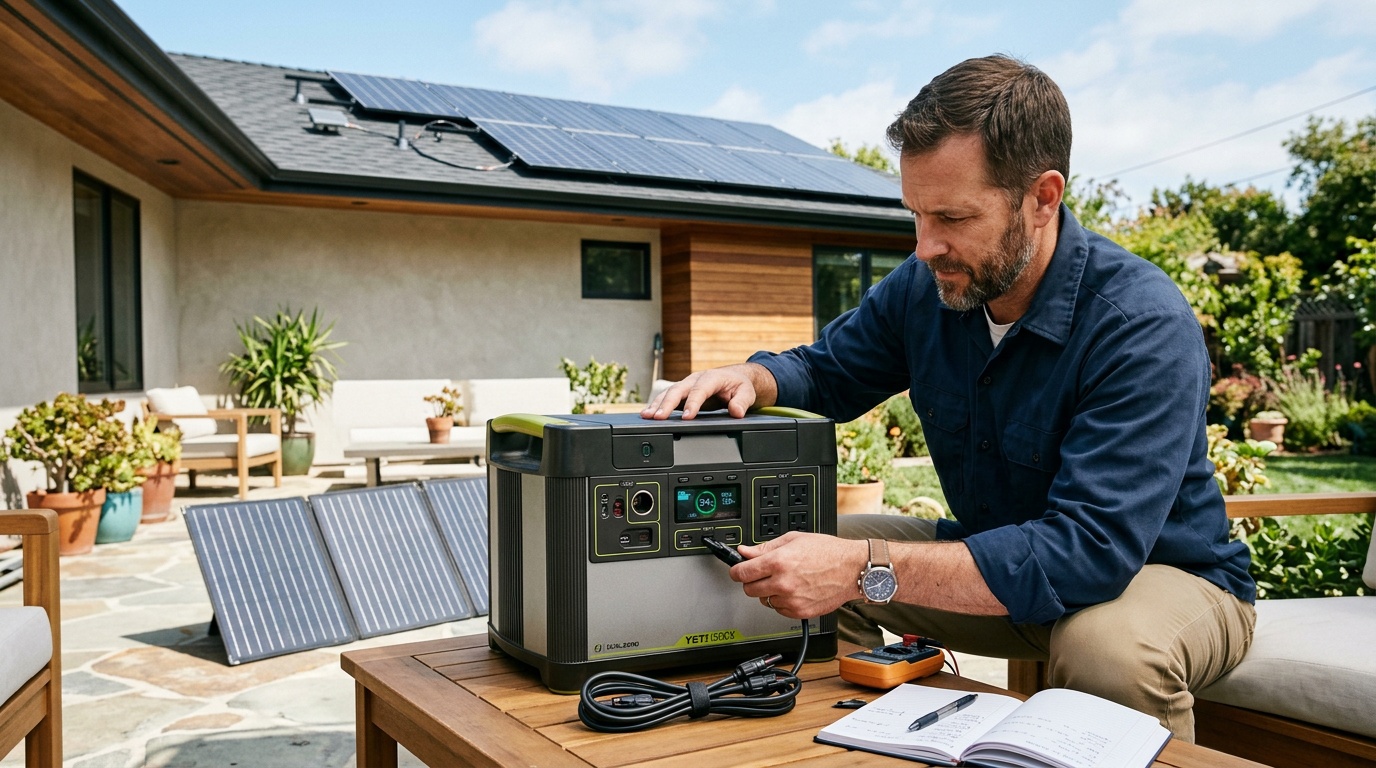
A plug-in electricity usage meter with watt-hour tracking can help measure an AC appliance’s consumption. Choose one rated for your outlet and load. For a cycling appliance, measure a representative day on utility power first; a momentary watt reading can badly misrepresent daily energy use.
How to run a useful quarterly test
- Inspect before powering up. Look for cracks, swelling, moisture, damaged cords, or discolored plugs. Do not charge or use a damaged unit; contact the manufacturer for guidance.
- Start from a known charge. Record the percentage and room temperature. Use similar conditions when comparing results later.
- Connect the actual essentials. Use the same cables, adapters, and output ports you plan to use during an outage. Stay within continuous and startup power limits.
- Observe operation. Check that devices stay on, connections remain secure, and the station reports no faults. Normal fan noise is different from grinding or repeated overheating shutdowns.
- Confirm recovery. Disconnect loads as appropriate, verify charging, and return the station to its intended standby or storage configuration.
Record the starting charge, ending charge, duration, and connected equipment in a phone note. I pay more attention to repeatable results with the same load than to a single estimated “hours remaining” number. That estimate can change sharply when an appliance cycles on.
Make the annual test match your backup goal
If your goal is four hours of internet and lighting, run that combination for four hours while you are home. If your goal is an overnight refrigerator backup, arrange a supervised test covering representative compressor cycles, with utility power available to reconnect. Avoid deliberately risking food or interrupting essential equipment.
You do not need to drain the station to zero just to prove it works. Stop when you have answered the runtime question or reached your planned reserve. Only perform a full discharge calibration when your model’s instructions call for it.
For rough planning, a 1,000-watt-hour battery supplying a steady 100-watt AC load might provide around eight hours if you assume 80% usable energy after losses. That is an illustrative estimate, not a promise: temperature, inverter overhead, battery condition, and load behavior change the result. A measured test is more useful.
When Battery Backup Makes Sense
A power station makes sense when your essential loads are modest, outages are manageable in length, and you can recharge between events. In an apartment, keeping communications and a few lights running can be a worthwhile goal without trying to power every appliance.
Adding capacity makes sense when testing shows a specific shortfall. Suppose your setup runs reliably for three hours, but your household needs six. More usable battery capacity may solve that problem. First verify that the existing station’s output rating is adequate and that any expansion battery is explicitly compatible.
Buying a solar panel makes sense only if you have a practical place to deploy it, enough sun, and a compatible input. Test solar charging in advance using the approved connection procedure. Window placement, shade, balcony restrictions, and bad weather can make solar an unreliable primary recharge plan for apartment living.
When It Does Not
An upgrade does not make sense when the problem is an empty battery, an output timeout, or a missing cable. Fix those first. A larger battery also will not necessarily solve an inverter overload: energy capacity, measured in watt-hours, and output power, measured in watts, are separate limits.
If your backup plan centers on electric space heating, cooking, or whole-home air conditioning, a small portable station may be the wrong fit. Those loads can exhaust its stored energy quickly or exceed its output rating. Narrow the goal before buying another unit.
A portable station also needs a verified plan before supporting medical equipment. Confirm the device’s power requirements and backup instructions with its supplier, including whether a transfer interruption is acceptable. A successful lamp test is not sufficient validation for critical equipment.
What I Would Prioritize First
I would spend the first hour on a load list, a realistic runtime test, and an accessible storage spot. Those steps usually tell you more about your backup readiness than another accessory purchase.
Separate storage from outage readiness
There is no single correct storage percentage for every power station. For example, the EcoFlow DELTA Pro manual specifies a three-month charge/discharge routine, ending at 60% for long-term storage. Follow the instructions for your exact model rather than copying that figure to another battery.
Long-term storage and imminent storm preparation are different jobs. Use the manufacturer’s storage target when the station will sit unused; charge for your expected backup need before a forecast outage. Do not leave a depleted station forgotten after use.
Likewise, check the manual before leaving it plugged in continuously. Supported backup modes, charge limits, and transfer behavior vary. If you intend to keep networking equipment connected through the station, test the transition from utility power using the manufacturer’s procedure and verify the devices stay running.
Keep maintenance simple
- Power down and disconnect equipment before cleaning as directed by the manual. Wipe the exterior with a dry cloth and keep ventilation openings clear.
- Keep the station away from damp floors, direct heat, and blocked escape routes. Do not operate it inside a closed storage bag.
- Respect separate charging and operating temperature limits, especially after cold storage.
- Store approved charging cables nearby and label their purpose. Never feed a household wall outlet from the station.
- Check relevant firmware notices during routine maintenance, leaving time to retest settings and operation after an update.
If runtime drops noticeably, repeat the comparison under similar conditions before deciding the battery is worn out. Changed loads, colder surroundings, and settings can explain differences. Persistent early shutdowns, charging failures, or recurring faults deserve manufacturer support rather than opening the case yourself.
Useful Tools for Routine Checks
Beyond an energy meter, two inexpensive items can make maintenance easier. Buy them only if they solve a gap in your setup:
- Digital indoor thermometer with minimum and maximum memory: useful for checking whether a proposed storage location gets too hot or cold against your manual’s limits.
- Cable organizer bag for charging cables: keeps the approved charging lead and device adapters together. Store the bag beside the station, clear of its vents.
Bottom Line for Homeowners
Check monthly, test your actual backup setup quarterly, and verify meaningful runtime annually. Adjust that schedule for frequent use and follow your model’s specific storage and charging instructions.
Keep the station you have if it reliably meets your essential-load target. Upgrade when a repeatable test shows you need more runtime or output power. The best next step is a calendar reminder and a real-load test before the next outage.
Sources, uncertainty, safety, and affiliate disclosure
Check named sources for their publication date, geography, exact product, utility, and jurisdiction. Product specifications and programs change. Estimates are not guarantees. Electrical work, service upgrades, storage systems, transfer equipment, interconnection, and code compliance should be reviewed by the serving utility and a qualified electrician or installer as appropriate.
Some links may be affiliate links. SunBacked may earn a commission at no added cost to you; that does not determine editorial conclusions.